
Table time monitoring
See elapsed time on active tables to help staff monitor usage and service.
Run billiard tables, food and drink orders, tabs and payments from one system, with the full restaurant POS features LimeOrder provides for dine-in service, kitchen operations and reporting.
LimeOrder Billiard Club POS combines graphical table management and elapsed-time visibility with the restaurant features needed for food, drinks, tabs and table-side service.
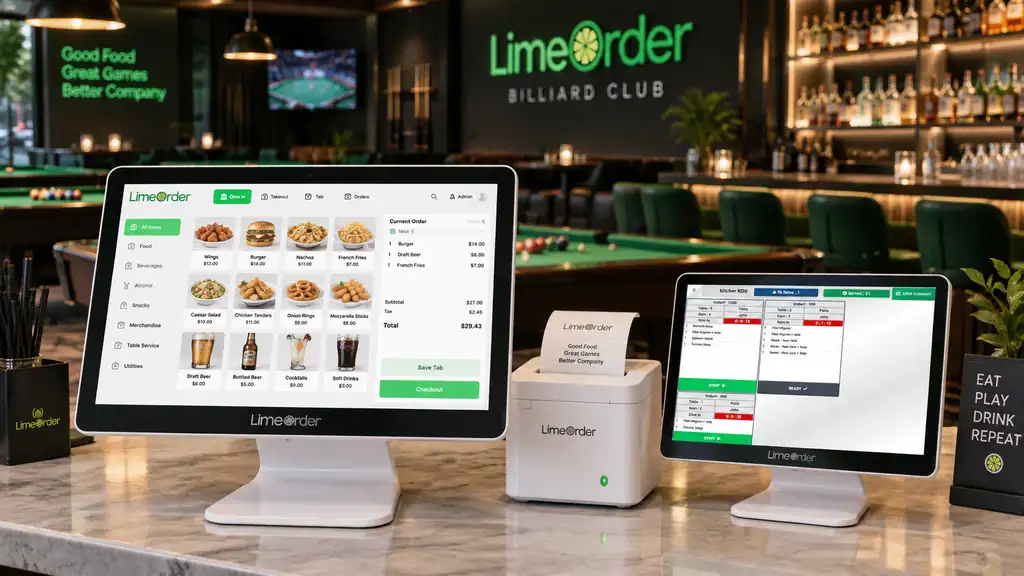
See which billiard tables are active, when each session started and how long each table has been in use. Keep table time connected to customer tabs, food and drink orders and checkout so staff can manage the floor from one place.
LimeOrder also includes full restaurant POS features such as dine-in and takeout ordering, kitchen display system (KDS), receipt printing, modifiers, split bills, promotions, loyalty, inventory and multi-location reporting.
Create different floor or area layouts, select tables directly from the plan, and monitor table status in one visual workspace. The elapsed-time display helps staff see how long an active table has been in use.
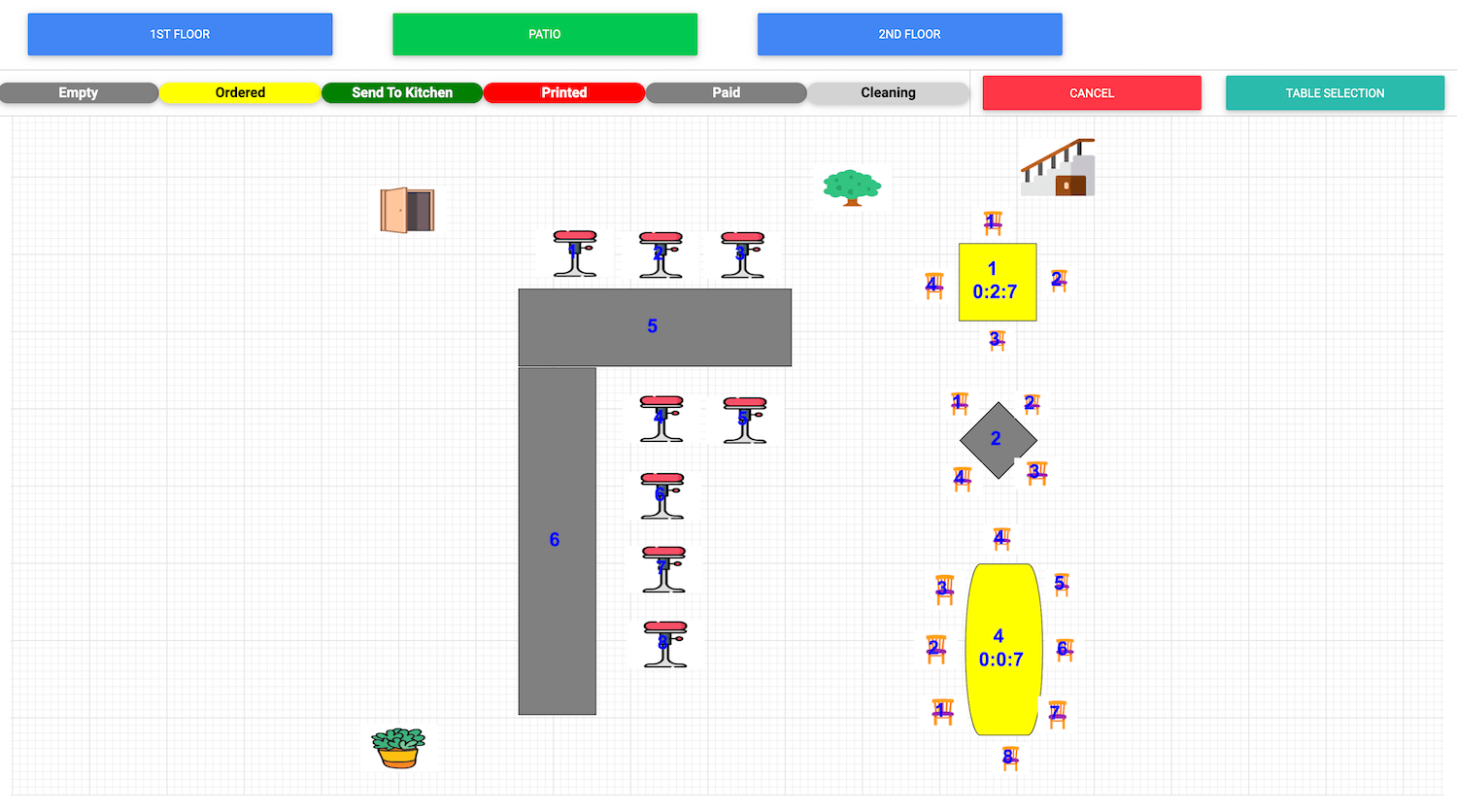
Serve tables, manage tabs and keep the kitchen or bar connected while tracking the billiard floor.
See elapsed time on active tables to help staff monitor usage and service.
Organize first floor, second floor, patio, VIP or other club areas in graphical plans.
Split equally, by seat, by check or across multiple payers and move items when needed.
Use selective, quantity and nested modifiers for food, drinks and kitchen preparation.
Send food and drink orders to the correct preparation area or kitchen display.
Support table-side ordering and payment workflows with compatible integrated terminals.
Run loyalty programs, promotions and customer-specific pricing from the same platform.
Add compatible customer display or self-ordering workflows where they fit your club.
Review business intelligence, staff activity and sales across multiple locations.
Yes. LimeOrder can add your menu categories, items, prices and modifiers to the POS system. Contact us to arrange your bar or pool hall menu setup.
Yes. LimeOrder can run on compatible hardware. Contact us with your device details so we can confirm compatibility before installation.
LimeOrder supports 12 languages, including English, French and Chinese. Contact us to confirm the languages needed by your team.
Yes. Staff can use the POS in English while preparation tickets print in another supported language, such as Chinese. This helps front-counter and preparation teams work in their preferred languages.
Yes. LimeOrder combines billiard-table workflows with restaurant POS features, including food and drink ordering, modifiers, billing and reporting.
Yes. LimeOrder provides table-time monitoring and graphical area and table layouts so staff can see table usage and elapsed time.
Yes. Staff can enter a guest’s name for each seat and assign food and drink items to that guest, making it easier to organize service and separate bills.
Yes. LimeOrder supports sharing food items between multiple seats, helping staff divide a shared platter or appetizer when preparing separate bills.
Yes. LimeOrder supports pay by seat, equal splitting and multiple payers. In the multiple-payer workflow, you can select exactly which seats each person pays for.
Yes. LimeOrder supports selective, quantity-based and nested modifiers, allowing staff to record menu choices and add-ons for food and drink orders.
Yes. LimeOrder can route orders to different kitchen printers or kitchen display systems (KDS), helping each preparation station receive the items it needs to prepare.
Yes. LimeOrder online ordering connects with the POS so staff can receive and accept or decline incoming orders. Orders can also flow to configured preparation printers or kitchen display systems.
Yes. LimeOrder supports tableside ordering and pay-at-the-table workflows using compatible devices and payment integrations.
You do not need QuickBooks to access your business’s accounting reports. LimeOrder includes accounting reports within the system, so you can review them directly without using separate accounting software.
Yes. LimeOrder supports opening and closing shifts, recording the opening cash float, staff clock-in and clock-out, tip management, and end-of-shift or end-of-day reports.
Yes. Authorized staff can easily remove tax from an order when a tax exemption applies.
Yes. LimeOrder lets you define promotions for selected foods or drinks, specific days and hours, and a defined start and end date.
Yes. LimeOrder lets you track stock, manage purchases and monitor inventory alongside sales. Inventory and purchasing features are available in applicable plans.
Yes. LimeOrder supports multiple stores and centralized business reporting, helping owners review sales and performance across their bars or clubs.
Pricing depends on the selected plan, number of devices, hardware and additional modules. LimeOrder software subscriptions can be cancelled anytime without a cancellation penalty. Contact us for a quote tailored to your business.
Yes. With a compatible label printer, LimeOrder can print cup labels from drink orders, including the drink name and selected modifiers.
Yes. LimeOrder lets you define staff roles and assign access permissions. You can control which features each employee can use while restricting access to management functions.
Tell us about your number of tables, food and beverage service, locations and payment workflow so we can demonstrate the right LimeOrder setup.