Run an End of Day Report #
Common POS · Shared procedures for retail, restaurant, and salon devices. Button availability follows your device configuration and permissions. Red numbered boxes identify the controls used in each step.
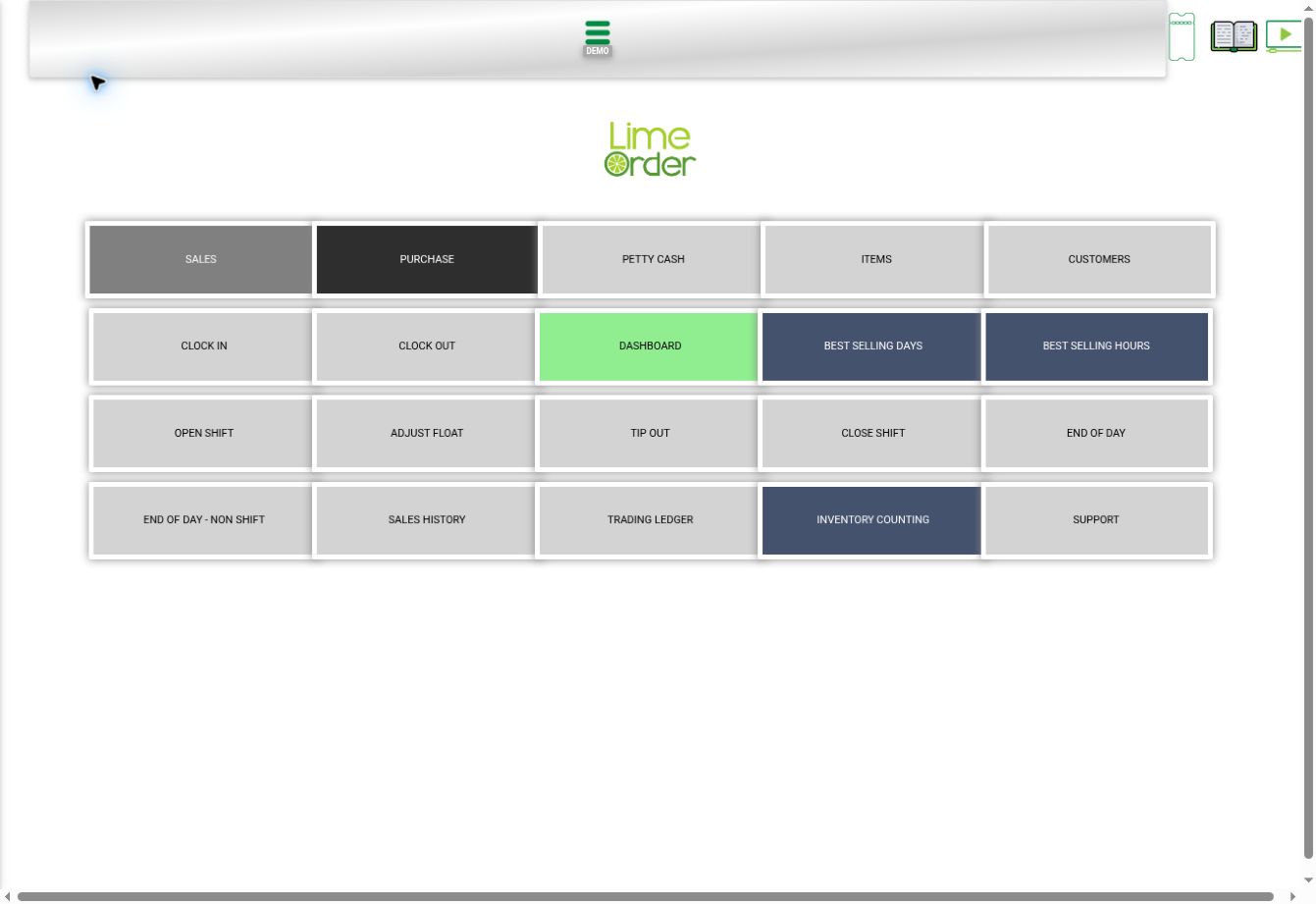
1. Open Home and choose END OF DAY #
Press the side menu → Home, then END OF DAY. The separate END OF DAY – NON SHIFT shortcut is also available.
 12
122. Set report filters #
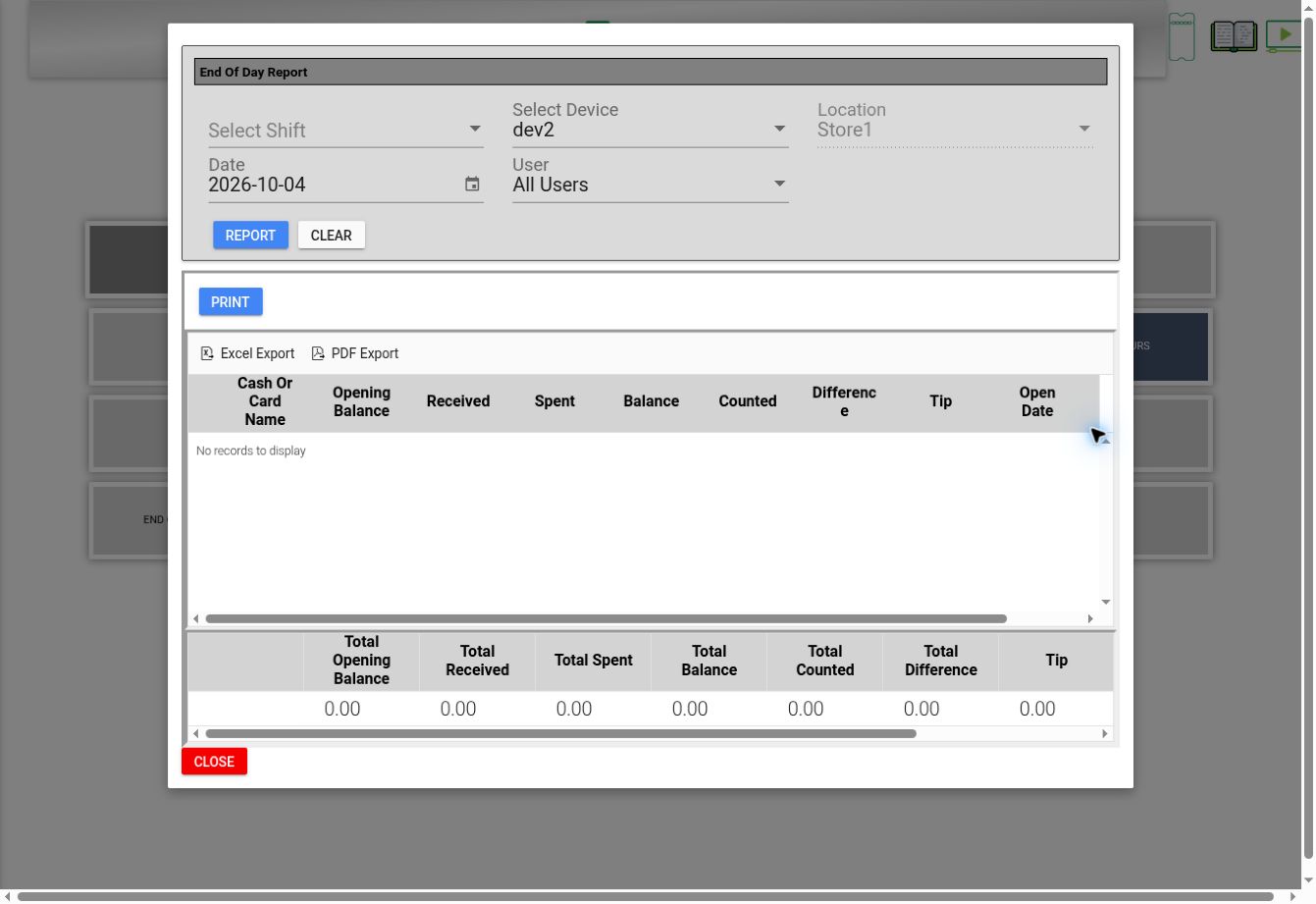
Review Shift, Device, Location, Date, and User in the report dialog. Choose REPORT to load the selected context; CLEAR resets its controls.
 23
233. Review balances and export #
Review opening balance, received, spent, balance, counted, difference, and tip columns. Use PRINT, Excel Export, or PDF Export when you need a copy. CLOSE exits the report.
3Check the result #
Match the shift, device, and date to the activity being reconciled. Displayed totals before a report is loaded should not be treated as a completed reconciliation.