Table of Contents
Change an Item Price #
Common POS · Shared procedures for retail, restaurant, and salon devices. Button availability follows your device configuration and permissions. Red numbered boxes identify the controls used in each step.
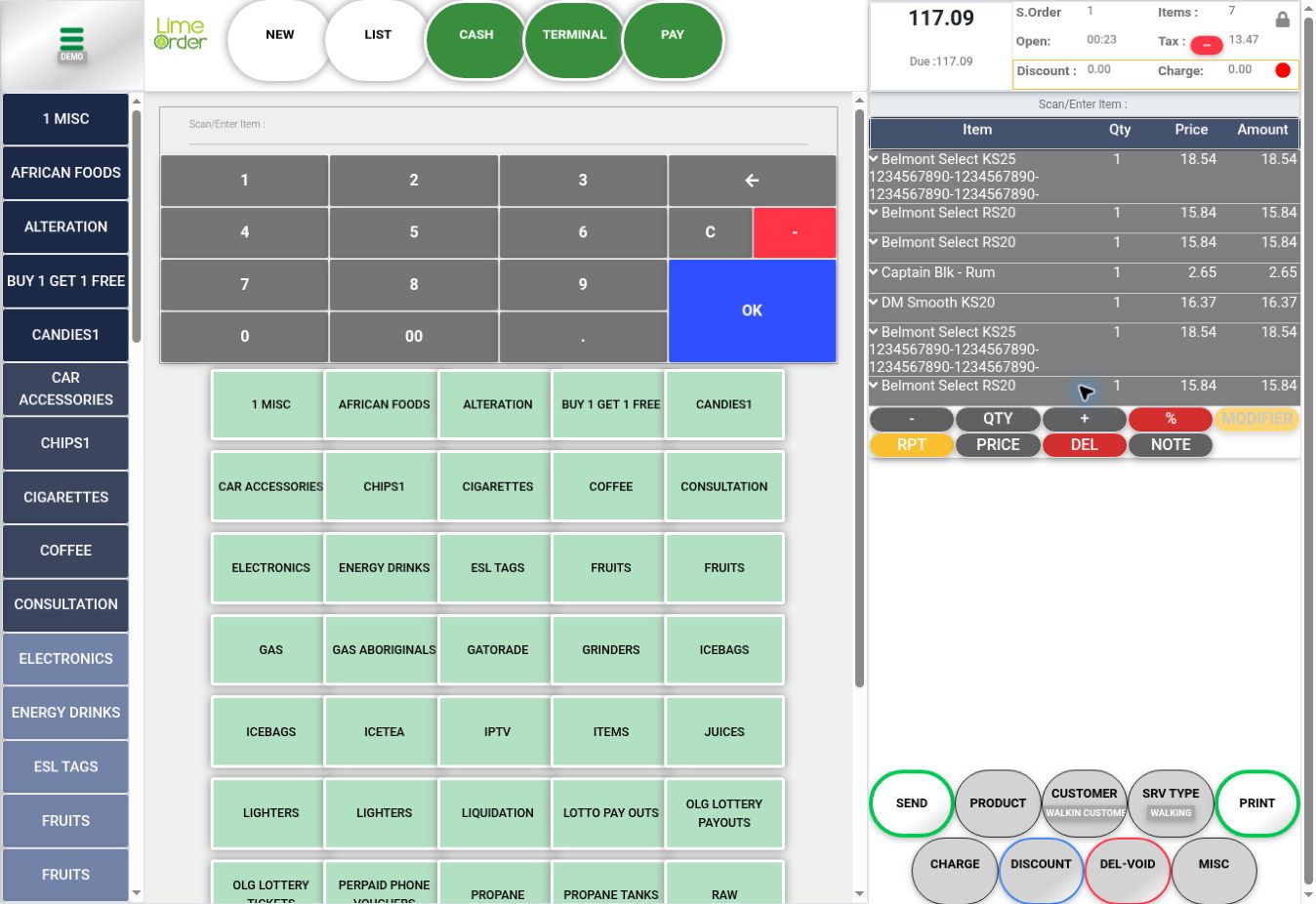
1. Select the line and press PRICE #
Expand the intended basket line, read its name, and press PRICE.
 12
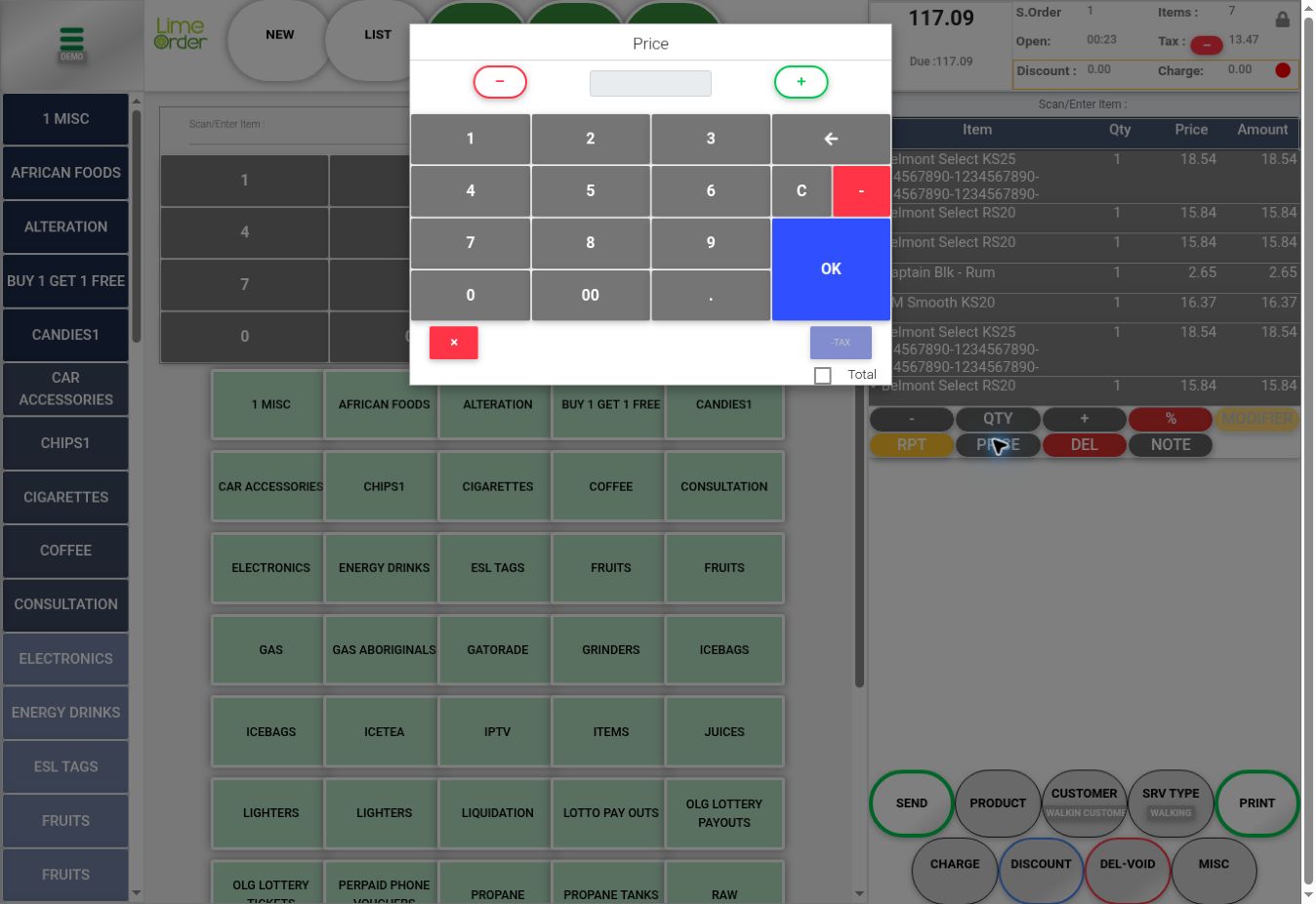
122. Review the Price dialog #
Enter the authorized value using the input or keypad. Review the Total checkbox and tax-related control before applying an entry; their availability depends on configuration. Press OK to apply the reviewed entry or the red X to cancel.
 2345
2345Check the result #
Verify the resulting line price, amount, tax, and invoice total.