Table of Contents
Ordering devices #
POS Admin • Screenshots show example records. Select any screenshot to enlarge it.
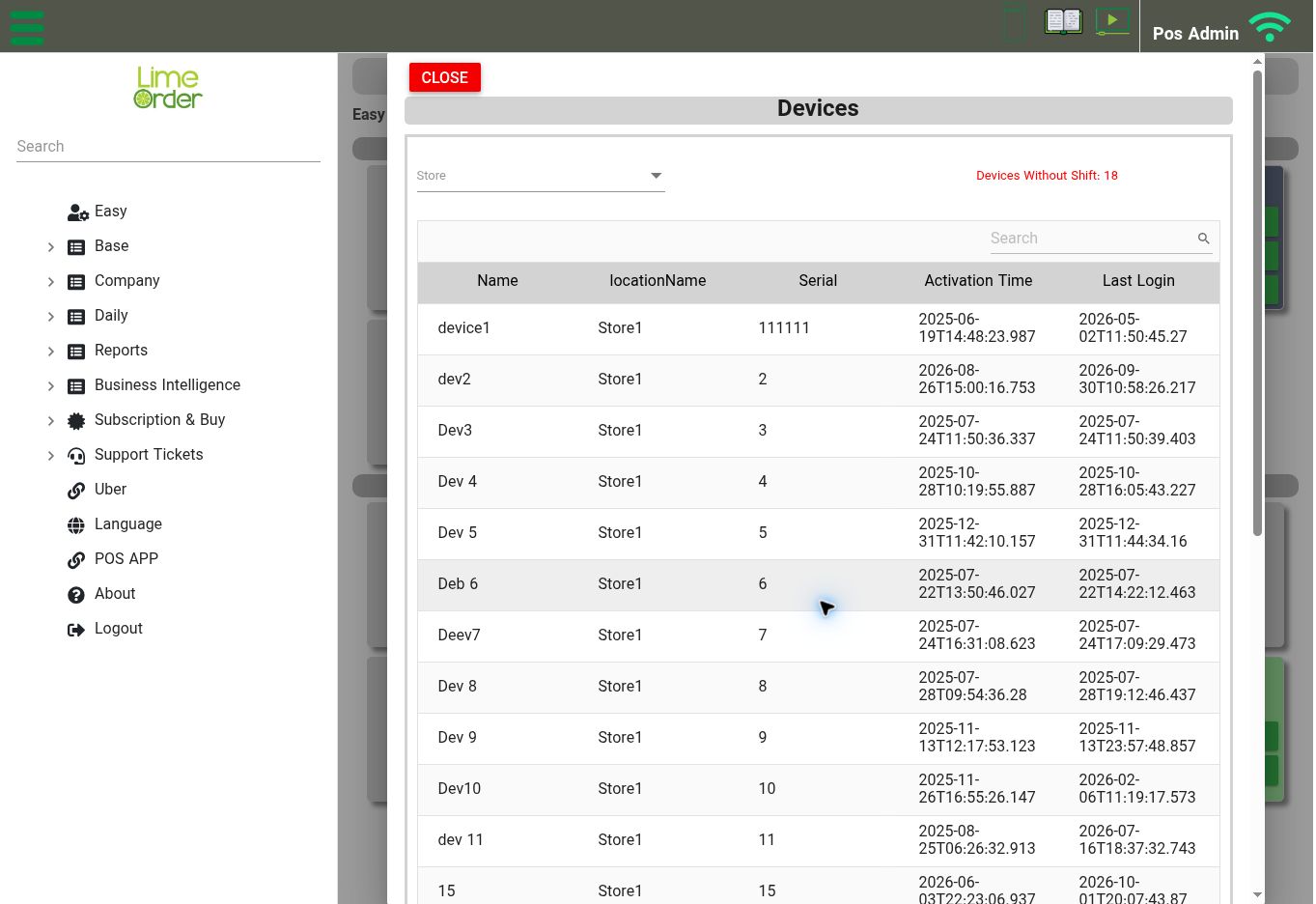
Devices list: use the Store filter and review the device’s name, serial, activation time, and last login. View full-size screenshot
Open: Easy → Ordering Devices, or Company → Devices
The Devices screen includes a Store filter and lists device name, store, serial, activation time, and last login. Select a device to review its detail form.
- Find and select the intended device.
- Review Name, Serial, and Store.
- Review Shift Is Mandatory and the Disabled switch.
- Select Save if you changed the configuration.
Activation Time and Last Login appear as read-only fields. The screen also shows a count of devices without a shift and has a Release control. Use Release only when you intend to release the selected device’s activation; if you are unsure about its effect on that device, contact support before using it.